You can define a line load on the ground surface object by clicking on the  button. The cursor on the drawing area is now a cross and you can click on the points that will define the line load over the ground surface object.
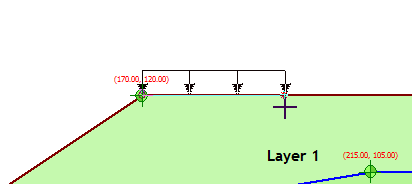
Defining a line load
To accept the line load simply right click anywhere on the drawing area and the load properties dialog will appear for the newly inserted load object:
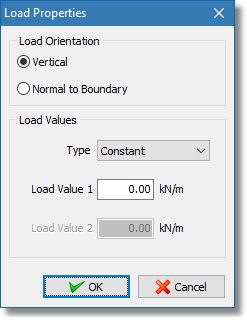
Load properties dialog
Select the appropriate load orientation and values (supported load types are constant and triangular) and click the OK button. The line load object will be drawn using the line load visual properties.
Note Line load object can be defined only from left to right. |